
Stateless vs Stateful Widgets in Flutter: Understanding the Difference with Examples

As a Flutter developer, you may be wondering how to use and where to use Stateless and Stateful widgets.
Introduction
Widgets are the basic components of the user interface that you design when building apps in Flutter. One of the most basic ideas you will come upon is the difference between stateful and stateless widgets.
Although they have different functions, both are essential when designing interactive and responsive user interfaces. The primary differences between these two kinds of widgets will be explored in this article, along with instances to help you understand when to use each.
What is a Stateless Widget?
A stateless widget is a widget that constructs a configuration of other widgets to define a portion of the user interface. Stateless widgets, as their name implies, are immutable once they are constructed and cannot be modified over time.
Because of this, they are perfect for showing static content that doesn't need to be updated or changed by the user.
Key Characteristics of Stateless Widget:
• Immutable: Once created, cannot be changed
• Ideal for displaying static components like Text, Icons and Images
• The Widget is rebuilt when parent widget changes
Example of a Stateless Widget:
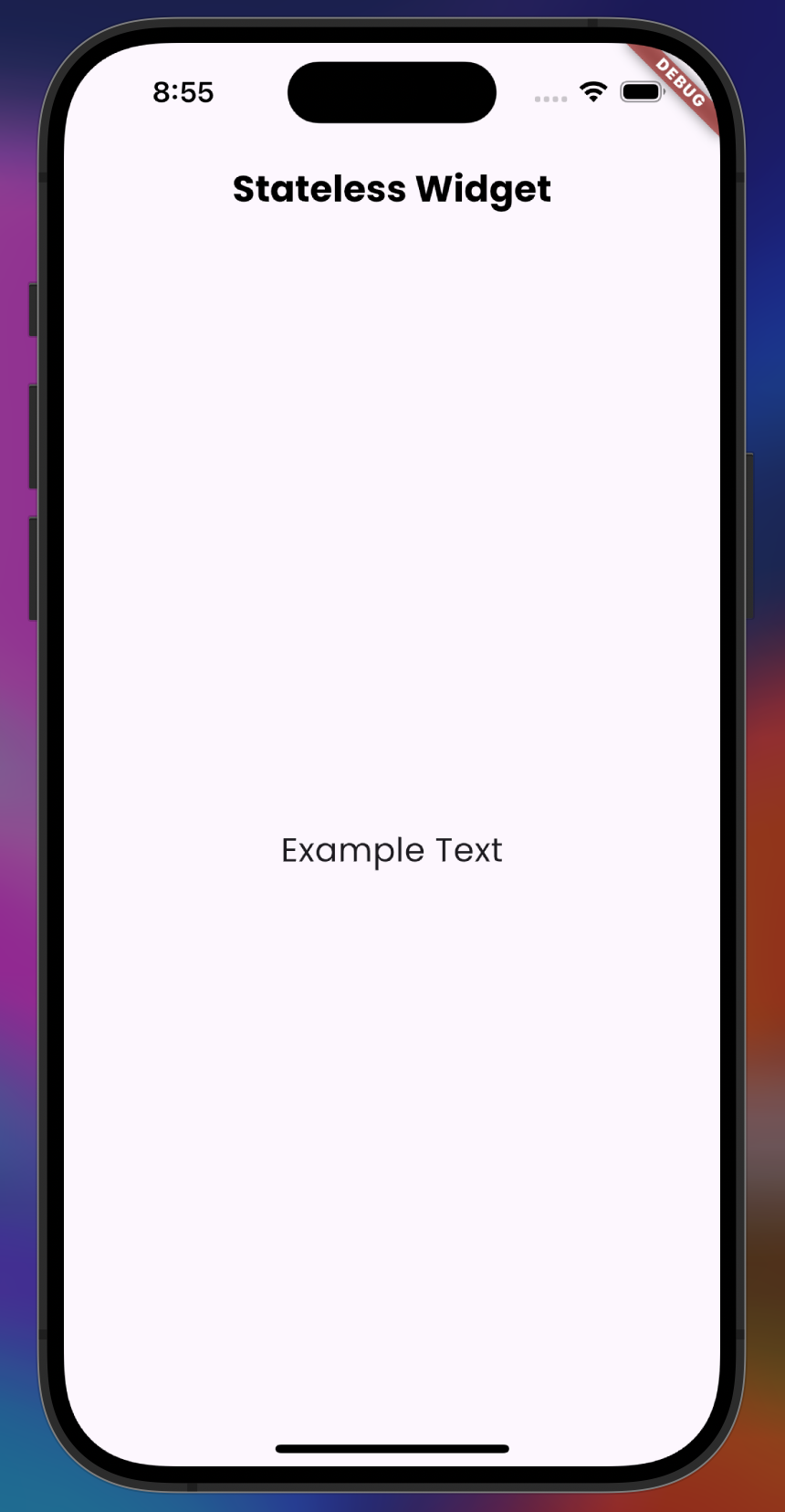
The widget simply displays a static message on the screen. No user interaction or state change happens. The widget does not change once it’s rendered.
What is a Stateful Widget?
However, a stateful widget is a widget that has the ability to change over time in response to input from the user or other sources. During the widget's lifecycle, it keeps track of a state object that is subject to updates.
When a stateful widget's state changes, the widget is rebuilt to reflect the changes, and the setState() method is called.
Key Characteristics of Stateful Widget:
• Mutable: Stateful Widget maintain state that can change dynamically
• Ideal for interactive elements that need to update in response to user input (Ex: buttons, text fields etc.)
• Widgets can rebuild themselves when their internal state changes
Example of a Stateful Widget:
In this example, the widget contains a button that increments a counter every time it’s pressed. The counter is part of the widget’s state, and the UI updates whenever the state changes.
Key Differences Between Stateless and Stateful Widgets
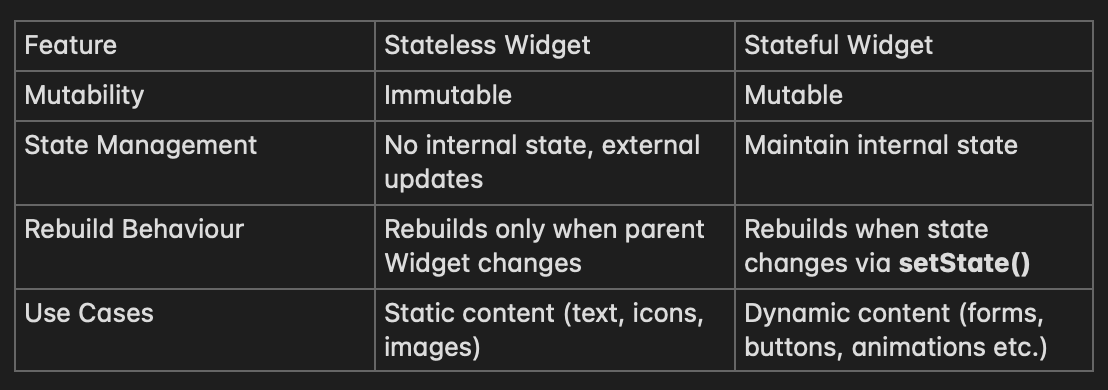
Key Differences Between Stateless and Stateful Widgets
When to use Stateless Widget
For user interface elements that don't change over time, stateless widgets are suitable. When your application merely has to render static content, use stateless widgets, like these:
• Displaying a static text or image
• Defining layouts that don’t rely on user input or dynamic content
• UI elements that won’t change unless their parent widget is updated
When to use Stateful Widget
Stateful widgets should be used when you need to maintain state that changes during the widget’s lifecycle. Common scenarios include:
• Implementing interactive UI elements like buttons, sliders, and forms
• Managing user input and updating the UI accordingly
• Handling animations or transitions that depend on the current state
• Real-time data updates that need to be reflected on the UI
Conclusion
It's crucial to understand how to distinguish between stateless and stateful widgets when developing effective and manageable Flutter apps. Stateful widgets are good for developing interactive elements that must update in response to user input or other changes, whereas stateless widgets work good for presenting static content.
Understanding when and how to use each sort of widget will assist you in writing cleaner, more efficient code as you build more complex applications. Developing proficiency with this differentiation is essential to improving as a Flutter developer.